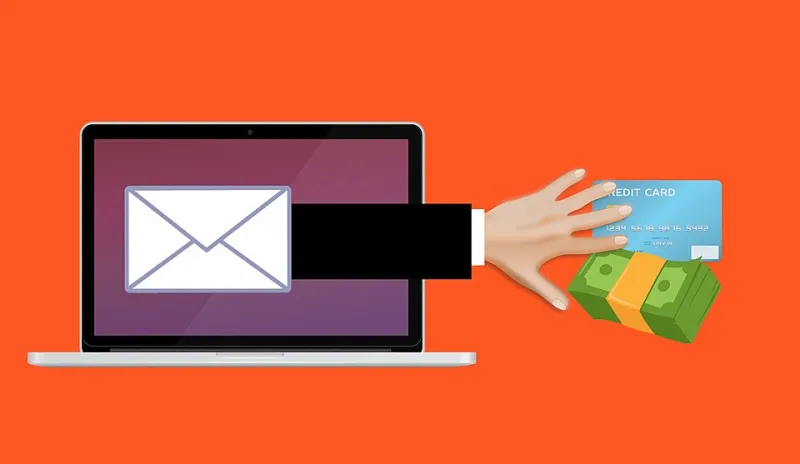
The Accounts You Forgot About Are the Ones That Could Hurt You

When did you last think about your Myspace account? What about that Quibi login you made during quarantine, or the food delivery app you tried once before switching to a competitor? There's a good chance you haven't thought about those accounts in years — but somewhere on a server you've never seen, they still exist. And they still have your email address, your old password, and possibly a credit card number attached to them.
Dormant digital accounts are one of the most overlooked security vulnerabilities in everyday life. We talk a lot about protecting the accounts we actively use, but the ones we've abandoned are often far more dangerous — precisely because no one's watching them.
How Subscription Creep Happens
Subscription fatigue is a real and well-documented phenomenon. The average American household spends significantly more on subscription services than they estimate — a figure that climbs every year as streaming platforms, app subscriptions, fitness services, news sites, and digital tools multiply.
The pattern is familiar: you sign up during a free trial, forget to cancel, and either keep paying without noticing or eventually cancel the billing but leave the account itself open. Sometimes you don't even cancel the billing — you just stop using the service until the charge blends into your statement background noise.
Behind each of those subscriptions is an account. And each account is a potential liability.
Why Old Accounts Are a Security Problem
Here's the chain of risk that most people don't think through:
Old accounts often have old passwords. That account you made in 2016 probably has a password from 2016 — one that may have already been exposed in a breach and one that you might still be using somewhere important. Attackers who get hold of breached credential databases run automated tools to test those username-password combinations across hundreds of active sites. If your old BookBub password matches your current Gmail password, you've got a real problem.
Breached platforms don't always tell you. Companies are required to notify users of data breaches, but enforcement is inconsistent, notification timing is often delayed, and emails about breaches frequently go unread or straight to spam. If you're not actively monitoring an account, you might never know it was compromised.
Stored payment data doesn't expire with your interest. Many platforms retain credit card information even when a subscription is inactive. An old card number sitting on a forgotten platform is an exposure risk if that platform is ever breached. And if you've since canceled that card, the platform might have automatically updated to your new number through the card network's account updater service — without you ever re-entering it.
Dormant accounts can be hijacked for fraud. Hackers aren't always looking to drain your bank account directly. Sometimes they take over inactive accounts to use them as launchpads — for spam, phishing campaigns, or building fake credibility on platforms. You might not notice for months.
The Psychological Pull of Inaction
So why don't we just close these accounts? Because doing nothing is always easier than doing something, and the consequences of inaction feel distant and unlikely.
There's also a specific friction that comes with account closure. Many platforms make it genuinely difficult to delete an account — burying the option in obscure settings menus, requiring you to contact customer support, or presenting a series of "are you sure?" screens designed to wear down your resolve. This is intentional. Platforms have strong incentives to keep user counts high, and a dormant account still counts as a registered user.
Adding to that, there's often a vague sense that you might want the account someday. Maybe you'll go back to that podcast platform. Maybe you'll use that recipe app again. This hypothetical future use becomes justification for indefinite delay.
How to Actually Find What You've Forgotten
Before you can close accounts, you have to find them. Here's a practical approach:
Search Your Email
Your inbox is essentially a register of every service you've ever signed up for. Search for phrases like "welcome to," "confirm your email," "activate your account," and "your subscription." Go back as far as your email history allows. Create a running list.
Check Your Password Manager (or Browser)
If you use a password manager, it already has a list of saved credentials. If you rely on your browser's built-in password storage, check Settings > Passwords (Chrome) or Passwords (Safari) for a full inventory.
Review Your Bank and Credit Card Statements
Go back 12 months and flag every recurring charge, no matter how small. Small charges — $1.99, $4.99 — are easy to overlook and often signal forgotten subscriptions. Tools like Rocket Money or Trim can help automate this scan.
Use "Have I Been Pwned"
Visit haveibeenpwned.com and enter your email addresses. This free service tells you which data breaches have included your credentials, which helps you prioritize which old accounts are most urgently worth addressing.
A Step-by-Step Cleanup Guide
Once you've got your list, work through it systematically. Don't try to do everything in one sitting — set aside 30 minutes a week until you're through it.
Step 1: Triage by risk. Prioritize accounts that have payment information attached, accounts that share a password with something you still use, and accounts flagged in breach databases. These go to the top of the list.
Step 2: Change the password before you close it. This sounds counterintuitive, but if an account has been compromised, changing the password first logs out any unauthorized sessions. Use a unique, randomly generated password from your password manager.
Step 3: Remove stored payment methods. Before closing an account, go into payment settings and delete any saved cards. This ensures the data is removed even if the account closure process is slow or incomplete.
Step 4: Revoke connected app permissions. Many old accounts were used to log into other services ("Sign in with Facebook" is a common culprit). Check your Facebook, Google, and Apple ID settings for third-party apps that still have access, and revoke anything you no longer use.
Step 5: Request account deletion. Don't just cancel the subscription — actually delete the account. The website JustDeleteMe (justdeleteme.xyz) rates how difficult it is to delete accounts on hundreds of platforms and links directly to the deletion page, which saves a lot of hunting.
Step 6: Document what you've closed. Keep a simple note of accounts you've deleted and when. This gives you a clean baseline to work from going forward.
Making It a Habit
The goal isn't just a one-time purge — it's building a practice of regular digital housekeeping. Once a year, maybe around tax season when you're already reviewing your finances, is a natural time to run through this process again. New accounts accumulate constantly, and the ones you're not actively managing are always the ones most likely to cause problems.
Think of it like cleaning out a garage. You don't have to love doing it. But you'll feel a lot better once it's done — and a lot more confident that nothing in there is going to come back and surprise you.