365 Days of Scam Season: The 5 Digital Threats Americans Need to Watch Out For Right Now
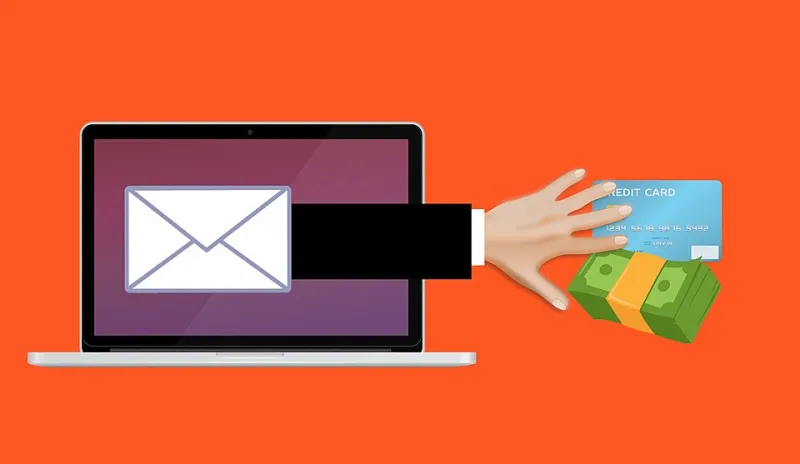
Photo: Mohamed Hassan, CC0, via Wikimedia Commons
There used to be a time when scam emails were easy to spot. Bad grammar, a Nigerian prince, a suspicious link — the warning signs were practically neon. Those days are gone.
Today's cybercriminals are sophisticated, patient, and increasingly powered by artificial intelligence. They're not just targeting the elderly or the tech-illiterate. They're targeting everyone — professionals, teenagers, parents, and retirees alike. And they're getting better at it every year.
The FBI's Internet Crime Complaint Center (IC3) reported over $12.5 billion in losses from cybercrime in 2023 alone — a new record. So let's talk about what's actually out there right now, and more importantly, how to stop it.
Threat #1: AI Voice Cloning Scams (The "Grandparent Scam" Gets an Upgrade)
This one keeps cybersecurity experts up at night, and for good reason.
AI voice cloning technology can now replicate someone's voice with just a few seconds of audio — the kind of audio that's publicly available on social media, YouTube videos, or TikTok. Scammers use this to call family members, impersonating a loved one in distress.
A real-world scenario: You get a call. It sounds exactly like your daughter. She's crying, says she's been in a car accident in another state, and needs you to wire $2,000 immediately before the police get involved. She begs you not to call her phone because it's broken. Then a "lawyer" or "police officer" gets on the line to facilitate the transfer.
This is a variation of the long-running grandparent scam — but now with a cloned voice that eliminates any doubt.
What to do: Establish a family "safe word" that only your inner circle knows. If someone calls claiming to be a family member in an emergency, ask for the safe word. If they can't provide it, hang up and call your family member directly on a number you already have saved.
Threat #2: Fake Job Listings and Employment Fraud
With remote work now mainstream, job boards have become a prime hunting ground for scammers. Fake job postings on LinkedIn, Indeed, and even company-impersonation websites are being used to steal personal information and, in some cases, launder money.
Here's how it typically works: You apply for a remote position that looks completely legitimate — real company logo, professional job description, decent salary. You get a quick reply, a "virtual interview" via text or chat (not video), and then an offer. Before your first day, they ask you to complete onboarding paperwork — which includes your Social Security number, bank account for direct deposit, and a copy of your driver's license.
You just handed an identity thief everything they need.
Some versions go further. The "employer" sends you a check to buy equipment, asks you to wire part of it to a vendor, and then the original check bounces — leaving you on the hook for the wired amount.
What to do: Always verify job listings by going directly to the company's official website. If an interview happens entirely over text or Google Chat with no video, that's a major red flag. Legitimate employers do not ask for payment or send equipment checks before your start date.
Threat #3: Cryptocurrency and Investment Fraud ("Pig Butchering")
The name is grim, and the scam is grimmer. "Pig butchering" — a term that originated in Southeast Asia — describes a long-con investment fraud where scammers spend weeks or months building a fake romantic or friendly relationship with a target before introducing a cryptocurrency investment "opportunity."
Think of it as the intersection of a romance scam and a Ponzi scheme. The scammer is patient. They'll talk to you every day, build genuine trust, share personal stories, and slowly introduce the idea that they've been making great returns on a crypto platform. They'll even show you fake dashboards that appear to show your investment growing.
When you try to withdraw your money, you're told you owe taxes or fees first. People lose tens of thousands — sometimes hundreds of thousands — of dollars.
The FTC reports that Americans lost over $1.3 billion to romance scams in 2022, with cryptocurrency being the most common payment method.
What to do: Be deeply skeptical of any investment tip from someone you've only met online, no matter how long you've been talking. If a platform can't be independently verified and isn't registered with the SEC or FINRA, don't send money to it. Period.
Threat #4: Smishing — Text Message Phishing That's Getting Harder to Ignore
Email phishing is old news. Smishing — phishing via SMS — is where the action is now, because people trust texts more than emails and are less likely to pause before clicking.
Common smishing scenarios in 2026:
- A text from "USPS" saying your package is held and you need to pay a $3 redelivery fee (link included)
- A message from your "bank" saying your account has been locked
- A text claiming you've won a gift card from a major retailer
- IRS notifications about an unclaimed refund
These links lead to convincing spoofed websites designed to capture your login credentials or payment information.
What to do: Never click links in unsolicited text messages. If you're concerned about a package or your bank account, navigate directly to the official website by typing the URL yourself, or call the number on the back of your card. You can also report smishing attempts to the FTC at reportfraud.ftc.gov or by forwarding the message to 7726 (SPAM).
Threat #5: QR Code Fraud ("Quishing")
QR codes exploded in popularity during the pandemic, and scammers noticed. "Quishing" — QR code phishing — involves replacing legitimate QR codes with malicious ones that redirect you to fake websites.
This has been spotted in parking lots (fake payment kiosks), restaurants (fake menus), and even in physical mail. You scan what looks like a normal code, land on a convincing fake page, and enter your credentials or payment info.
What to do: Before scanning any QR code in a public place, look for signs of tampering — a sticker placed over an original code is a classic tactic. After scanning, check the URL carefully before entering any information. Use a QR scanner app that shows you the destination URL before opening it.
Building Your Scam Defense System
No single action will protect you from everything, but a layered approach goes a long way:
- Slow down. Urgency is a scammer's best friend. Any message or call that pressures you to act immediately deserves extra scrutiny.
- Verify independently. Always confirm through an official channel before taking action — especially involving money or personal information.
- Use multi-factor authentication (MFA). Even if a scammer gets your password, MFA makes it significantly harder to access your accounts.
- Talk to your family. Kids and elderly relatives are frequent targets. Make sure everyone in your household knows these tactics exist.
- Report it. If you're targeted, report it to the FTC (reportfraud.ftc.gov) and the FBI's IC3 (ic3.gov). Your report helps protect others.
The best defense against social engineering is a healthy dose of skepticism — not paranoia, just a pause. Take a breath before you click, tap, or send. That moment of hesitation is often all it takes.